Stamped! — A City Passport
A SwiftUI travel discovery app that gamifies architecture exploration with passport stamps, city mastery, and AI-curated itineraries.
Demo Video
Demo video: Stamped iPad walkthrough.
Problem
Most travel apps optimize for logistics but do little to help users understand the places they visit. I wanted to solve this by turning architecture discovery into a clear learning loop instead of a passive checklist.
Project Snapshot
- Platform: iOS (SwiftUI)
- Type: Educational travel companion
- Focus: Gamified learning, accessibility, offline-first content
- Team: Solo
- Role: Product designer and iOS engineer
- Timeline: November 2025 - February 2026
Role
Solo product designer and iOS engineer responsible for concept definition, interaction design, architecture, implementation, and release preparation.
My Contributions
- Designed and implemented the end-to-end product flow from onboarding through mastery progression
- Built modular SwiftUI feature surfaces across city exploration, passport tracking, quiz interactions, and settings
- Implemented shared state/persistence managers for progress, media capture, and user preferences
- Integrated Apple Intelligence itinerary generation with robust fallback behavior for unsupported environments
- Shipped accessibility-focused UX including high contrast, reduced motion, audio/haptic controls, and dark mode support
Constraints
Deliver a feature-rich app in a 14-week timeline while keeping the experience intuitive for first-time users and robust across iPhone and iPad form factors.
Key Decisions
- Designed a modular SwiftUI architecture with feature-based folders (City List, Detail, Passport, Quiz, Itinerary, Settings)
- Used shared observable managers for progress, haptics, sound, speech, and navigation state
- Implemented a progression loop: visit landmarks → complete city → trigger celebration → persist stamp history
- Built with local data registries and persistence so core flows remain usable without network dependency
Core Features
- Global city explorer with hierarchical grouping (continent → country → city) and mixed search (cities, landmarks, architects)
- Passport gallery with mastery tiers, completion tracking, and celebratory stamp animations
- City detail module with landmark check-ins, custom photo capture/upload, and local travel information
- Interactive quiz mode with multiple question types, hints, high-score persistence, streak logic, voice input, haptics, and audio feedback
- AI-curated itinerary cards with Apple Intelligence integration and graceful fallback content when unavailable
- Offline currency conversion support using embedded rate mappings for travel context
Accessibility Decisions
- System + manual support for high contrast and reduced motion, applied across major flows
- Full dark mode compatibility across app surfaces, interactive controls, and readability states
- Voice and screen-reader feedback in quiz interactions (including spoken correctness announcements)
- Configurable sensory settings (sound, haptics, motion) in-app rather than hard-coded defaults
- Adaptive UI behavior between iPhone and iPad, including orientation and split-view patterns
Technical Highlights
- State persistence with AppStorage/UserDefaults and disk-backed image storage for user-captured landmark photos
- Single source of truth for visited landmarks through a shared global progress manager
- Conditional AI path: FoundationModels session on supported OS versions with deterministic fallback generation
- Custom app icon system built in Icon Composer with Light, Dark, Clear, and Tinted variants
- Feature toggles and reset controls for testability and content maintenance
Code Highlights
Selected snippets from my Stamped Swift source showing AI fallback handling, persistence, and user-configurable accessibility settings.
ITINERARY / AI + FALLBACK
Swift function for generating travel content using AI and fallback logic.
func generateAIContent(previousZip: String? = nil) async {
	self.isGenerating = true

	#if canImport(FoundationModels)
	if #available(iOS 18.0, *) {
		if let aiResponse = await tryRunAppleIntelligence(time: self.timeSlot, hint: distanceHint) {
			self.curatedActivity = aiResponse.activity
			self.icon = aiResponse.icon
			self.foodSuggestion = aiResponse.food
			self.isGenerating = false
			return
		}
	}
	#endif

	try? await Task.sleep(nanoseconds: 600_000_000)
	self.curatedActivity = "\(distanceHint) Admire the \(building.buildingStyle) details at \(building.address)."
	self.icon = "mappin.and.ellipse"
	self.foodSuggestion = building.foodSpots.randomElement() ?? "Local Favorite"
	self.isGenerating = false
}
MANAGERS / GLOBAL PROGRESS PERSISTENCE
Swift property and methods for tracking visited locations and saving progress with UserDefaults.
@Published var visitedIDs: Set = [] {
	didSet { save() }
}

private let saveKey = "GlobalVisitedBuildingsKey"

private init() {
	if let savedData = UserDefaults.standard.array(forKey: saveKey) as? [String] {
		self.visitedIDs = Set(savedData)
	}
	loadImagesFromDisk()
}

private func save() {
	UserDefaults.standard.set(Array(visitedIDs), forKey: saveKey)
}
SETTINGS / ACCESSIBILITY + PREFERENCES
Swift code for managing accessibility and user preferences in the app.
@AppStorage("reduce_motion") var reduceMotion = false
@AppStorage("high_contrast_mode") var highContrast = false
@AppStorage("haptics_enabled") var hapticsEnabled = true
@AppStorage("is_sound_enabled") var isSoundEnabled = true

func resetAllContent() {
	if let domain = Bundle.main.bundleIdentifier {
		UserDefaults.standard.removePersistentDomain(forName: domain)
	}

	GlobalProgressManager.shared.resetAllProgress()

	reduceMotion = false
	highContrast = false
	hapticsEnabled = true
	isSoundEnabled = true
}
Key Screens
Key screens: iPhone and iPad UI states from Stamped.
iPhone Screens
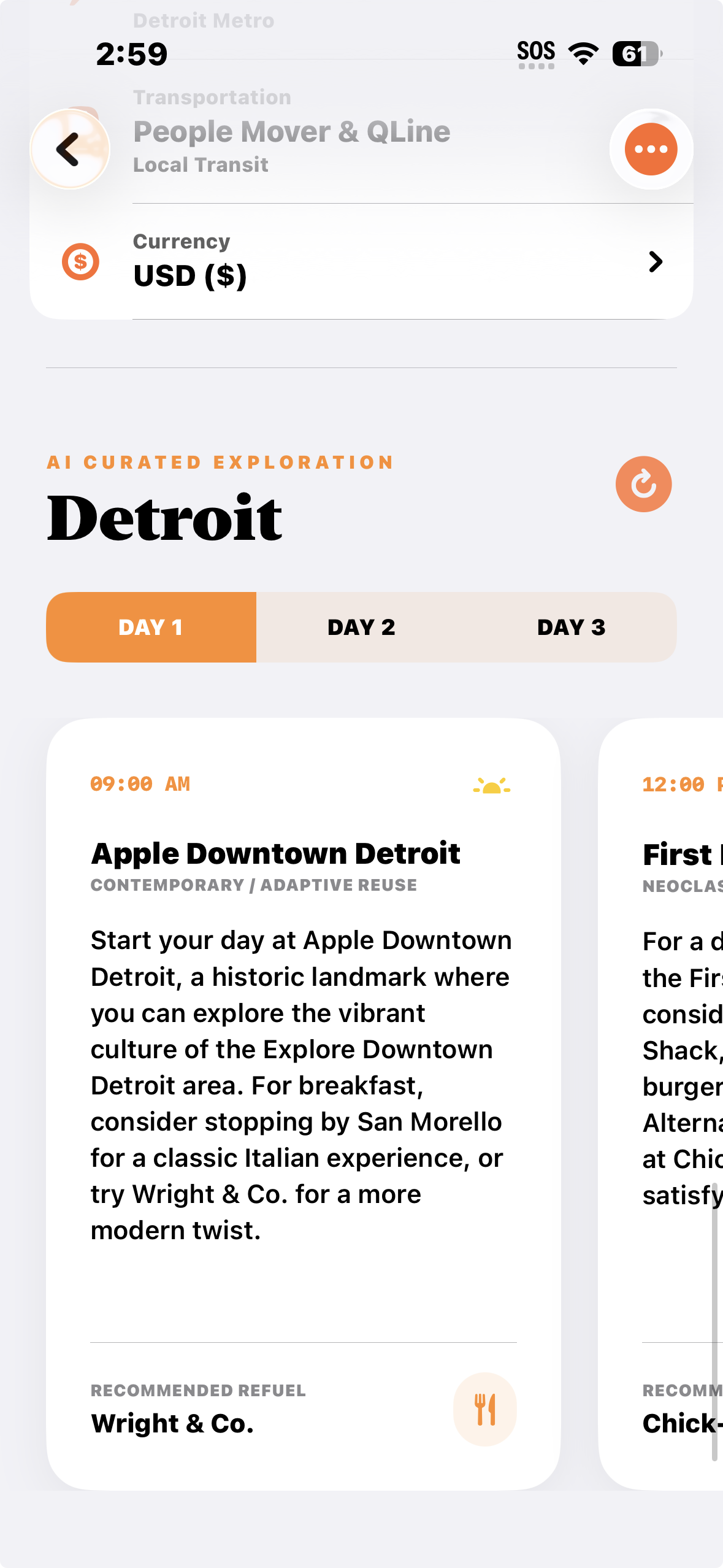
Light mode city list flow in the Stamped travel discovery experience.
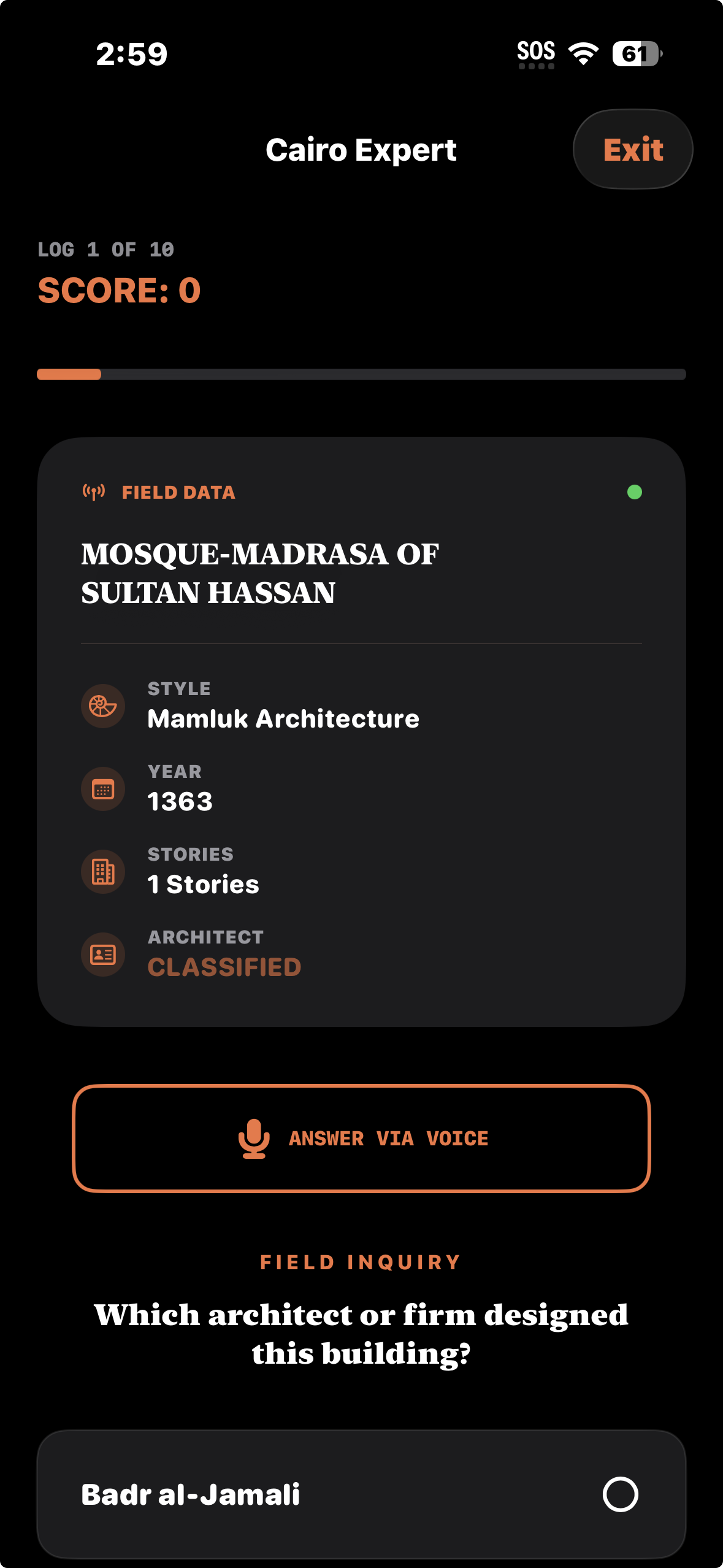
Dark mode interface preserving hierarchy and readability across key interactions.
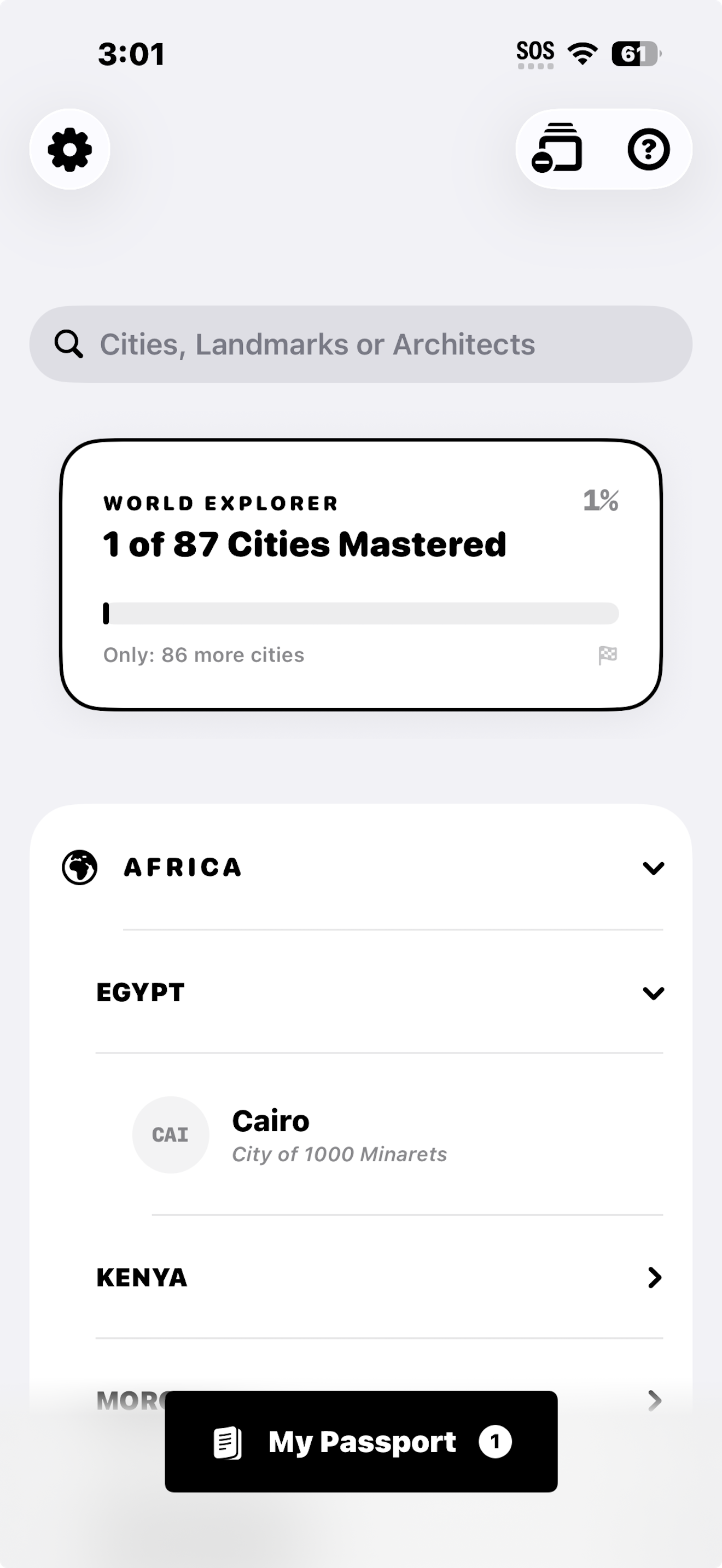
High contrast city list view supporting accessibility-first visual clarity.
iPad Screens
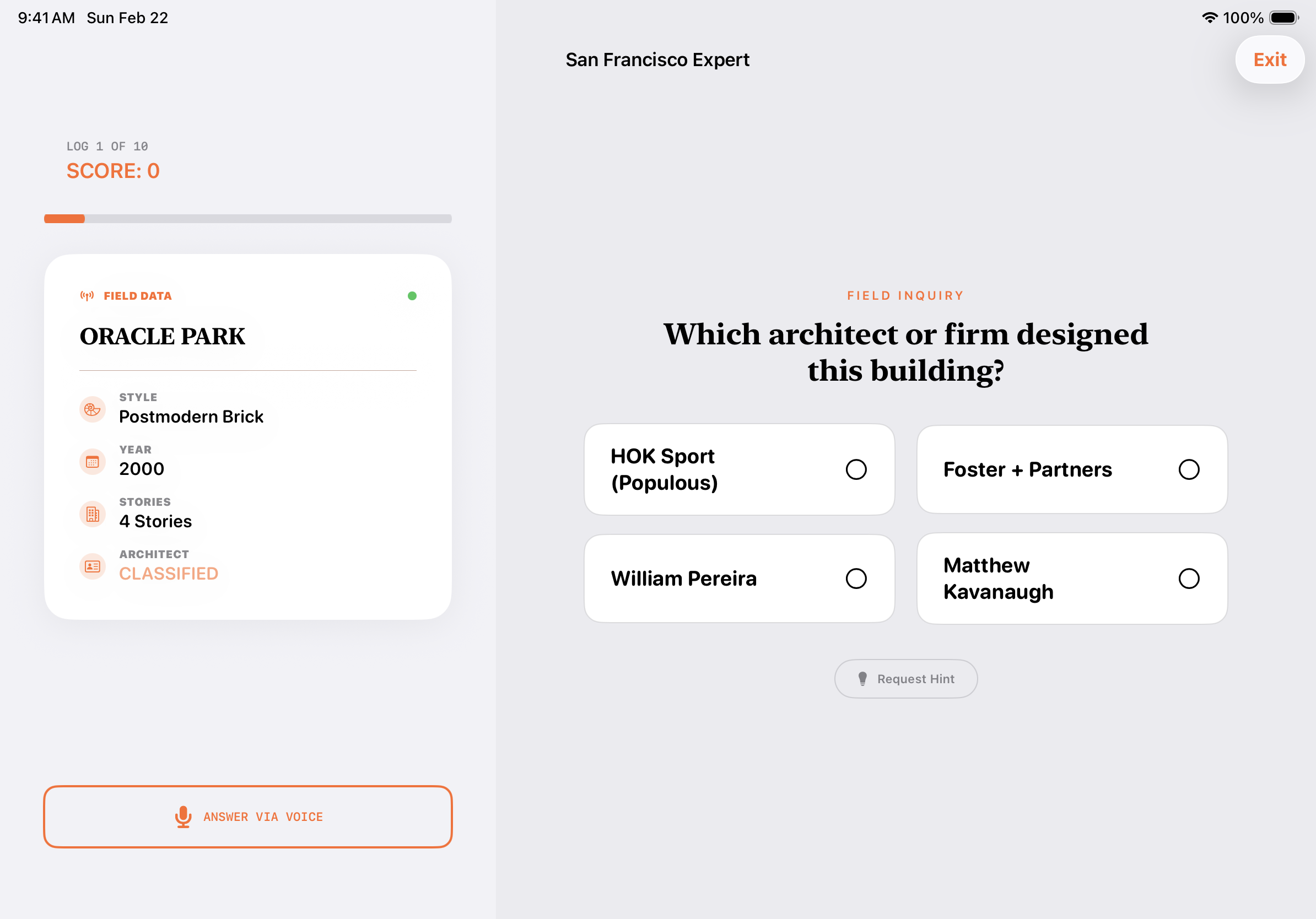
Quiz flow in light mode optimized for iPad screen space and readability.
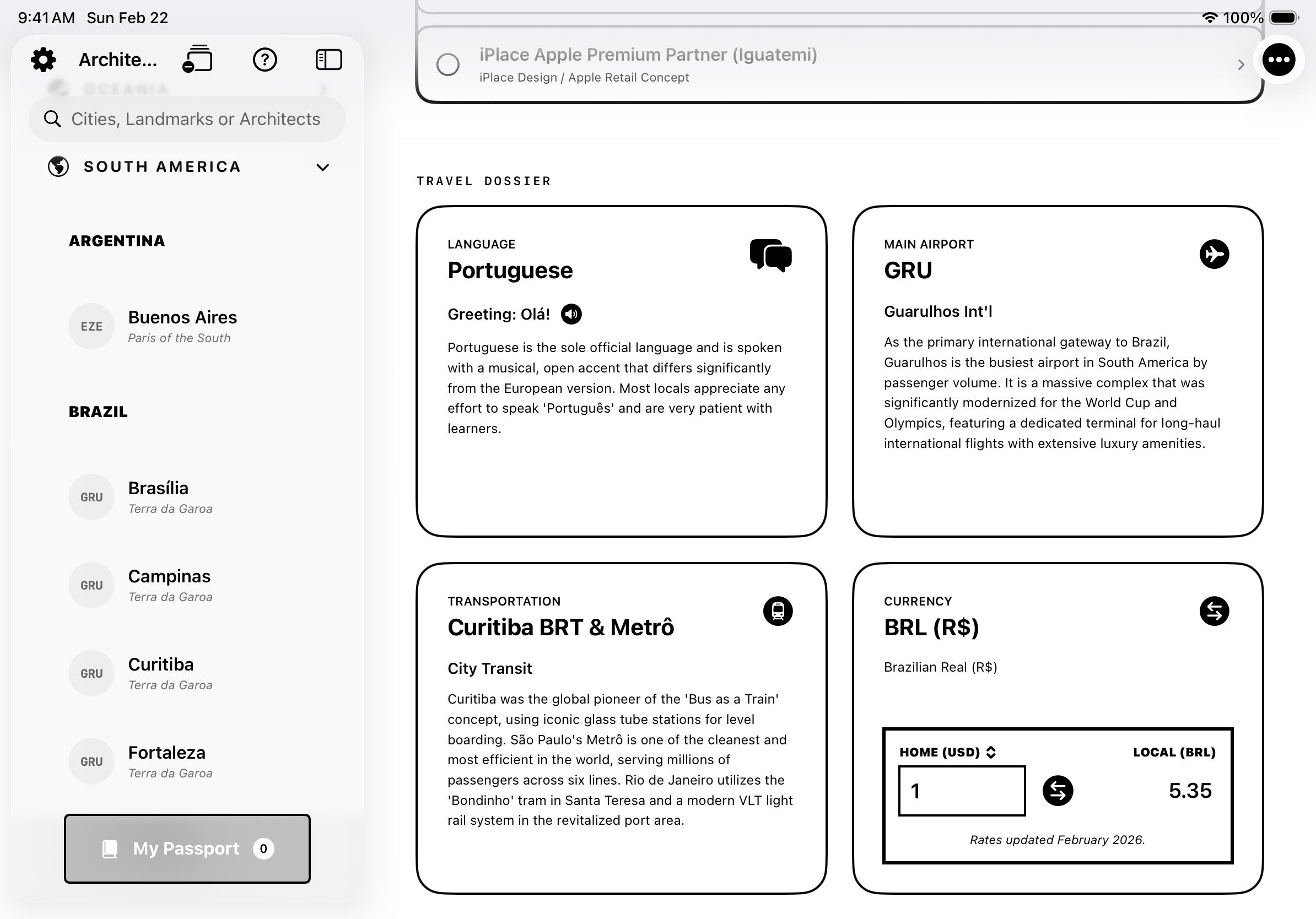
Travel dossier in high contrast mode for improved visual accessibility on iPad.
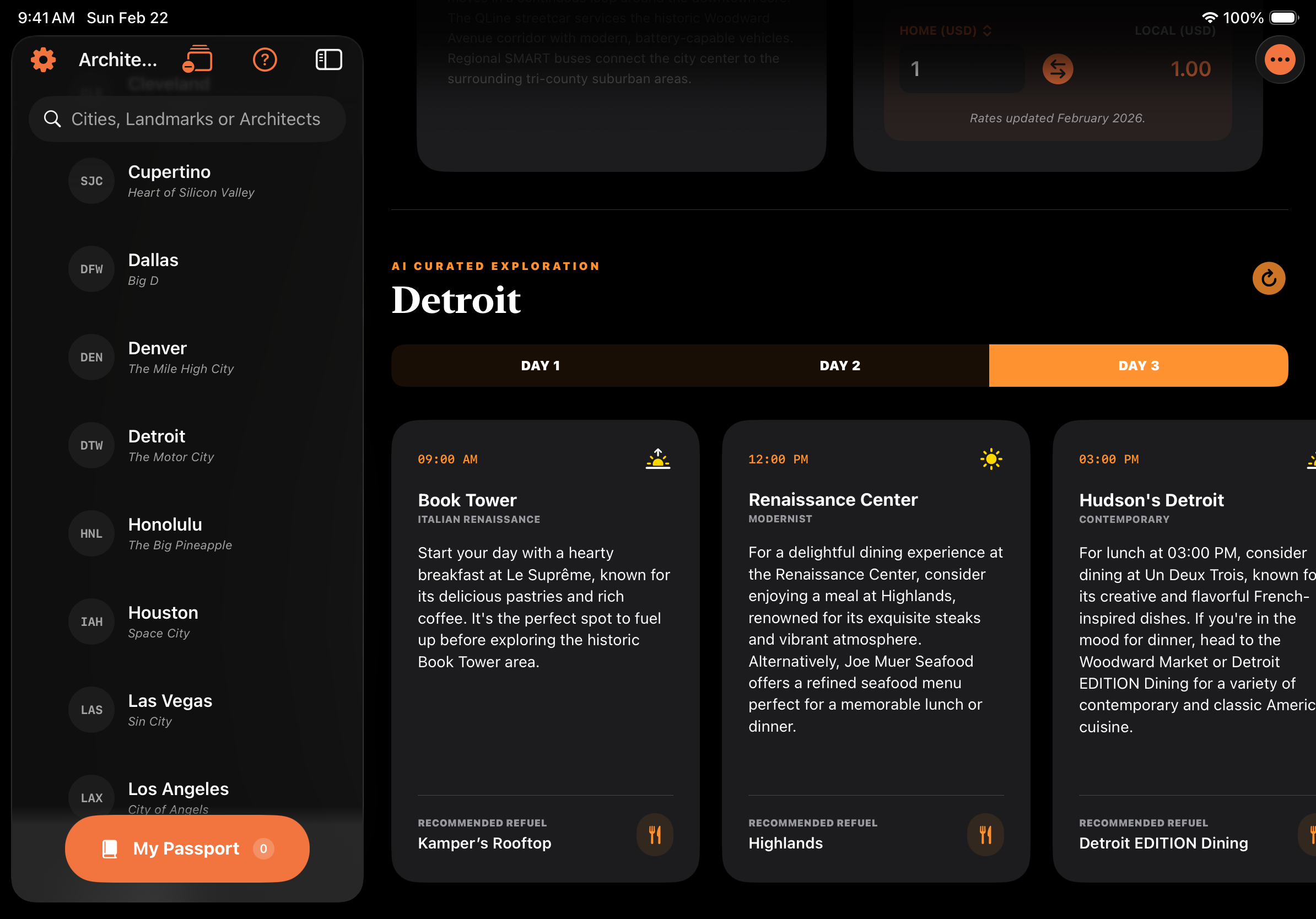
AI-curated itinerary experience in dark mode for low-light planning workflows.
App Store Update
Version 1.1.0 — Published!
- Faster, More Accurate Rates: Integrated a new high-frequency Exchange Rate API to provide mid-market rates with even higher precision.
- Live Updates: Rates now refresh automatically so you never miss a market move.
- Expanded Compatibility: Now supports more devices! Optimized for iOS 18.6 and higher.
- Enhanced Accessibility: Improved text contrast across the app to meet the 4.5:1 ratio, making rates easier to read for everyone.
- Performance Fixes: Optimized API logic to reduce data usage and improve loading speeds on slower connections.
I published my first update to the App Store with these improvements. Stamped! is currently on version 1.1.0.
Outcome
Stamped! shipped as a cohesive, production-style SwiftUI app with a complete progression loop, accessibility-first settings, and TestFlight distribution. The project demonstrates full product ownership from concept framing through implementation and release readiness.
Next Iteration
Next steps include integrating a full in-app translator for international travel and expanding the content library with more cities and landmark datasets.